Encryption is the topic of week. I wrote about it in a related post here. While encryption is a very good idea, doing it and doing it every day as part of your work flow is another thing. My view is that if you're already using an email client then it is easier, simpler and more convenient to adopt encryption.
That is not the case if you're using a webmail service. If you are using the browser to check, compose and send your email, what are your options?
The answer is: it's complicated.
Looking for a way to do encryption with Google Chrome and Gmail, I found this. I also read that Google just released code for email encryption as open source. But it's a long way to being used by end users.
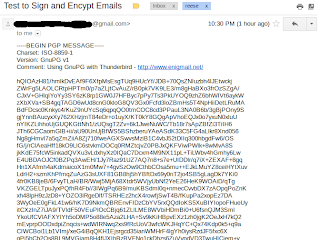
The extension for Google Chrome works fine if the recipient also uses Google Chrome.
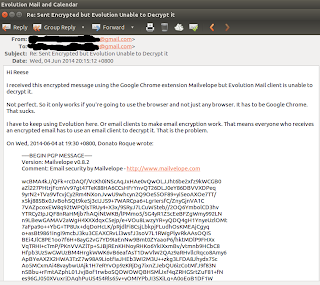
But I went ahead and check this on Evolution.
That is not the case if you're using a webmail service. If you are using the browser to check, compose and send your email, what are your options?
The answer is: it's complicated.
Looking for a way to do encryption with Google Chrome and Gmail, I found this. I also read that Google just released code for email encryption as open source. But it's a long way to being used by end users.

The extension for Google Chrome works fine if the recipient also uses Google Chrome.
But I went ahead and check this on Evolution.

Comments