Since switching to Ubuntu Linux I have been using the default
email client for Linux Gnome - Evolution. I set up my account
at first using my service provider's mail service. They are
using pop for incoming mail and smtp for outgoing mail.
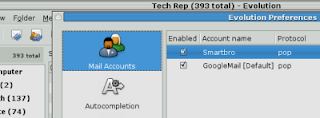
My service provider is not using authentications just a
password system. After giving my password I set it up
so my computer remembers my password. For outgoing
mail I set it so there is no security nor authentication too.
I chose to set security so smtp follows pop set up since
there's a choice in the options provided in the account
set up.
I decided to open a Gmail account with Google because I
recently open also an account with Bloggers.
Gmail uses a pop and smtp set up too but uses
authentication. They are using SSL. I also gave my
password to my account and set it so my computer
remembers.
There is not much difference between the two accounts
except that Gmail servers are configured by default not
to delete any mail. They are configured not to delete
anything really.
So even if I delete email in Evolution (from Gmail server)
it fetches it back again from the Gmail server like
it suppose to do.
email client for Linux Gnome - Evolution. I set up my account
at first using my service provider's mail service. They are
using pop for incoming mail and smtp for outgoing mail.

My service provider is not using authentications just a
password system. After giving my password I set it up
so my computer remembers my password. For outgoing
mail I set it so there is no security nor authentication too.
I chose to set security so smtp follows pop set up since
there's a choice in the options provided in the account
set up.
I decided to open a Gmail account with Google because I
recently open also an account with Bloggers.
Gmail uses a pop and smtp set up too but uses
authentication. They are using SSL. I also gave my
password to my account and set it so my computer
remembers.
There is not much difference between the two accounts
except that Gmail servers are configured by default not
to delete any mail. They are configured not to delete
anything really.
So even if I delete email in Evolution (from Gmail server)
it fetches it back again from the Gmail server like
it suppose to do.
Comments